
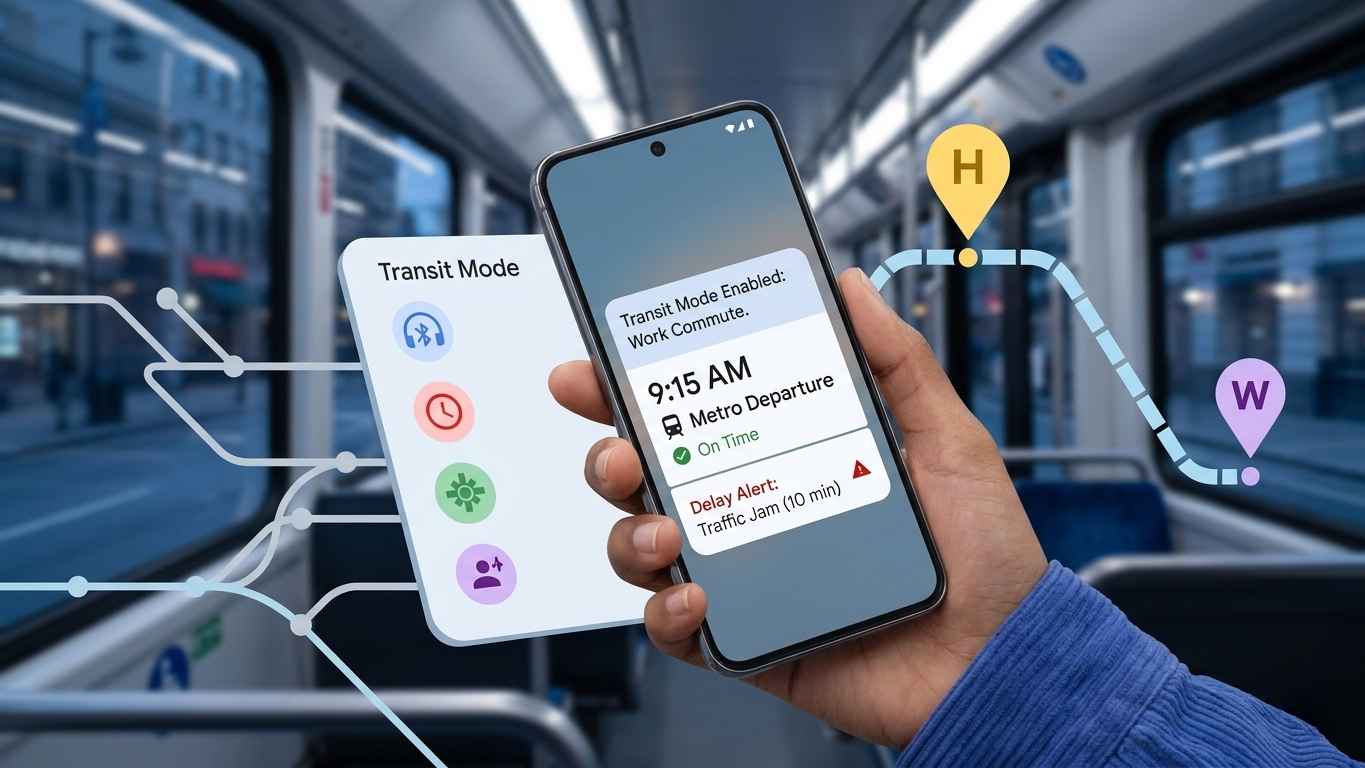
Google Pixel Transit Mode :The March 2026 Pixel Drop has officially arrived, and with it comes one of the most anticipated features for urban dwellers and daily travelers: Google Pixel Transit Mode. Designed to transform your smartphone into a proactive travel assistant, this feature blends deep automation with real-time data to ensure your commute is as seamless as possible.
Whether you are navigating the metro in New Delhi, catching a bus in London, or driving through the tech corridors of Bengaluru, the Pixel Transit Mode is built to adapt to your environment. Here is everything you need to know about this game-changing update.
What is Google Pixel Transit Mode?
Google Pixel Transit Mode: The Ultimate Guide to Smarter, Stress-Free Commuting. At its core, Transit Mode is a contextual awareness engine. Part of the broader “Modes” system on Pixel devices, it allows your phone to recognize when you are commuting and automatically adjust its behavior. Instead of manually silencing your phone before a meeting or fumbling to turn on Bluetooth for your earbuds at the station, the Pixel does it for you.
Key Availability:
Devices: Pixel 7, Pixel 7 Pro, Pixel 8 series, Pixel 9 series, and the latest Pixel 10 models.
Update Required: March 2026 Pixel Drop (Android 16).
Region: Rolling out globally, including major transit hubs in India.
Smart Automation: How Your Phone Adapts
The true power of Transit Mode lies in its ability to toggle settings based on your movement. Once the mode is triggered—either manually or through AI-detected routines—it executes a series of “Hassle-Free” adjustments:
1. Audio and Connectivity Management
Sound Profiles: Automatically switches between Sound, Vibrate, or Silent modes. This is perfect for those who want to avoid their phone ringing loudly on a quiet train.
Auto-Bluetooth: Your Pixel can automatically enable Bluetooth the moment you start your commute, ensuring your wireless headphones are ready to pair instantly.
2. Distraction Control & Focus
Priority Filtering: Commuting can be stressful. Transit Mode allows you to filter notifications so only priority contacts (like family or coworkers) and essential apps can interrupt you.
Interruption Management: It can intelligently suppress non-essential alarms, reminders, and media sounds that might go off unexpectedly during your travels.
3. Display Optimization
Visual Comfort: The mode can trigger Grayscale or Dark Theme settings. This not only saves battery during long commutes but also reduces eye strain in the low-light environments of subways or early morning buses.
Real-Time Updates: “At a Glance” Integration
Perhaps the most “Pixel-exclusive” feeling part of this update is the integration with the At a Glance widget. You no longer need to keep the Google Maps app open to track your journey.
Directly on your Lock Screen and Home Screen, you can now view:
Live Departure Timings: See exactly when your next bus or train is leaving.
Delay Alerts: Get notified instantly if there is a signal failure or a traffic jam affecting your route.
Alternate Routes: If your usual path is blocked, the Pixel will suggest the next best option before you even ask.
The Learning Curve: How It Understands Your Routine
Unlike a simple “On/Off” switch, Google Pixel Transit Mode is powered by machine learning. It uses your Google Maps Timeline and location data to study your habits.
Note: Google specifies that after the initial setup, it may take two to three weeks for the system to fully “learn” your specific patterns. Once it understands your typical departure times and routes, the real-time updates become significantly more accurate and proactive.
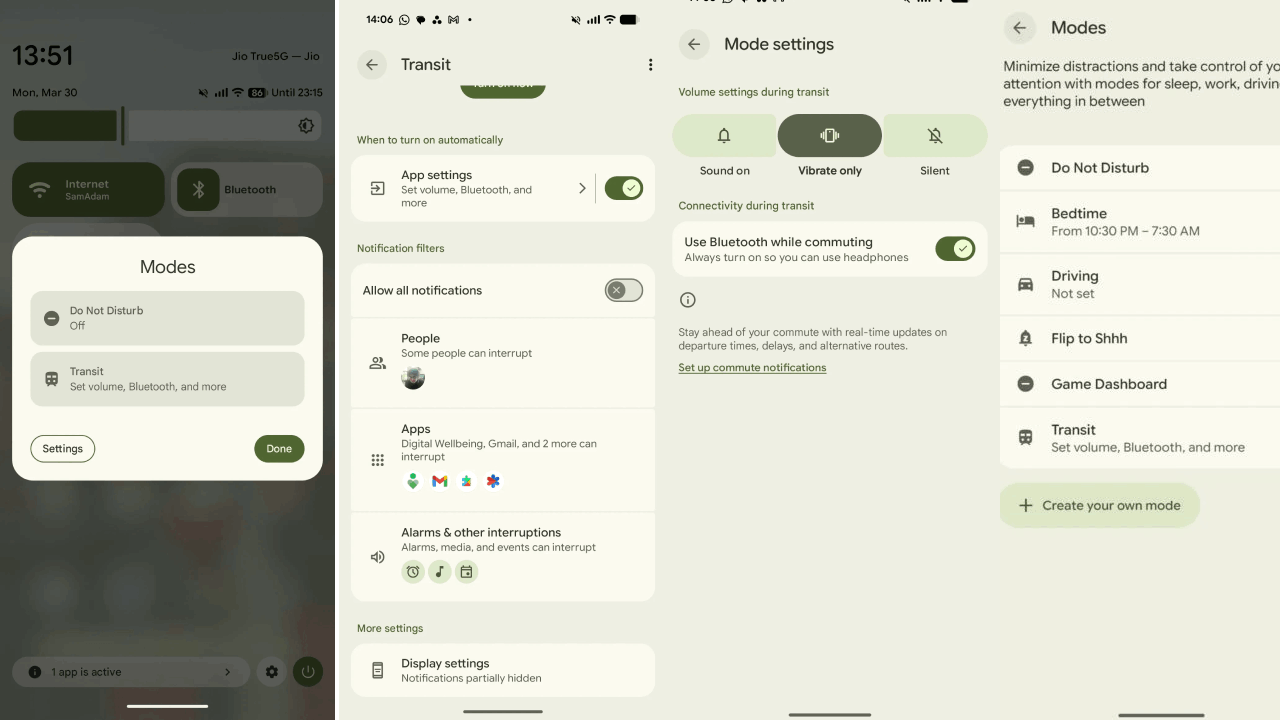
Step-by-Step: How to Set Up Transit Mode
Ready to upgrade your commute? Follow these steps to ensure the feature is fully functional:
Step 1: Enable the Mode
Navigate to Settings → Modes → Transit. Alternatively, you can add the Modes tile to your Quick Settings panel for one-tap access.
Step 2: Configure Your Commute
To get the “At a Glance” real-time updates, you must:
Add Addresses: Ensure your ‘Home’ and ‘Work’ addresses are correctly saved in Google Maps.
Location Access: Grant “Allow all the time” background location access to the Maps app.
Enable Timeline: Turn on your Google Location History (Timeline) so the AI can track and learn your routes.
🛡️ Privacy and Data: A Necessary Trade-off?
Because Transit Mode relies heavily on Location History and Background Tracking, it has sparked discussions regarding privacy. Google maintains that this data is used locally to enhance the user experience, but for those who are privacy-conscious, the feature is entirely optional. You can toggle off Timeline access at any time, though this will limit the “proactive” nature of the updates.
Why This Matters for the Future of Smartphones
The March 2026 update signals a shift from “smart” phones to “intuitive” phones. Instead of a device that waits for your input, the Pixel is becoming a device that anticipates your needs based on your physical environment.
By reducing repetitive actions—like checking a transit app every five minutes or adjusting volume levels—Google is giving time back to the user. For the millions of people who spend 1-2 hours a day commuting, these small automations lead to a significantly lower mental load.
Summary Table: Pixel Transit Mode Features
Final Verdict
If you own a Pixel 7 or newer, the Transit Mode is a must-try feature. It represents the best of Google’s software ecosystem—combining the utility of Maps with the hardware integration of the Pixel. While the setup requires a bit of data sharing, the convenience of a phone that “knows” you’re on the way to work is hard to beat.
Are you planning to enable Transit Mode on your Pixel? Let us know if you think the privacy trade-off is worth the smarter commute!